Back to all posts
Letting an AI Agent Drive My React Native App
Agents can click around a web app just fine, but on mobile they are stuck guessing at screenshots. So I built a package that lets them read and drive a React Native app directly.
N
Noah Kurz
September 18, 2026
7 min read
I have written before about staying in control while using AI, and one thing that kept bugging me was how little my agents could actually do on mobile. On the web they can open a page, click things, read the console, watch the network tab. Something like Playwright gives them a real handle on the app. On mobile they were basically guessing. The best they could manage was to take a screenshot and try to work out where to tap based on where things looked like they were. It was slow, it broke constantly, and it quietly ate a ton of tokens re-reading images after every step.
I hit that wall enough times building NEAT that I decided to fix it, so I wrote react-native-agent-jet. It gives a coding agent real, structured control over a running React Native or Expo app, the same way Playwright does on the web.
The idea behind it
React already knows what is on the screen. It built the component tree. So instead of screenshotting the result and running computer vision on it, I just read that tree directly.
That is more or less the whole trick. In development, the package adds a small bridge to your app. It walks React's Fiber tree, keeps the parts that actually matter (text, testIDs, accessibility labels, onPress handlers, text inputs, scroll views), and sends them over a WebSocket. On my machine, an MCP server turns that into tools the agent can call.
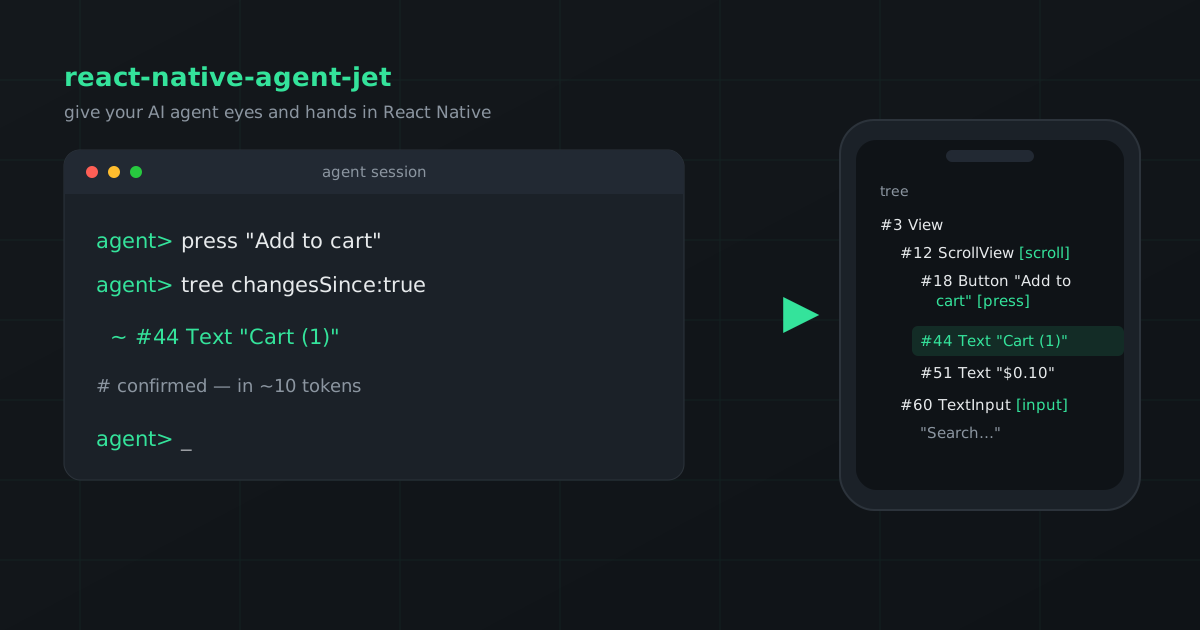
In practice a session looks like this:
agent> press "Add to cart"
agent> tree changesSince:true
       ~ #44 Text "Cart (1)"   confirmed, in ~10 tokens
It reads the screen as text, acts on things by name, and checks the result by looking at what changed. No screenshots, no coordinates, no guessing.
What it does
The agent can read the current screen as a structured tree, so it works from real element names instead of an image. It can press a button, type into a field, scroll, or navigate to a route, all by selector. It can read app state, including the current route and my TanStack Query cache, which means it can confirm something worked by reading state instead of squinting at pixels. It can pull console output, uncaught errors, and every HTTP request the app made. And when it needs real native input for something React cannot reach, like a system permission dialog, it falls back to actual taps and keystrokes through simctl and AXe on iOS, or adb on Android.
It works with React Navigation and Expo Router, on both iOS and Android, and because the bridge is just JavaScript it runs in Expo Go without a native rebuild.
Getting it running
Two commands and one hook.
bun add react-native-agent-jet
npx react-native-agent-jet init
import {
NavigationContainer,
useNavigationContainerRef,
} from '@react-navigation/native'
import { useAgentJet } from 'react-native-agent-jet'
function App() {
const navigationRef = useNavigationContainerRef()
useAgentJet({ navigationRef, appName: 'my-app' })
return <NavigationContainer ref={navigationRef}>{/* … */}</NavigationContainer>
}That navigationRef is the one your app already sets up. It is optional, and there is a matching queryClient argument if you want the agent to read your TanStack Query cache too.
By default the init command sets up Claude Code. It also supports Cursor, Codex, VS Code, Windsurf, Gemini, and Zed, each of which stores its config a little differently, so you point it at the one you use with a flag like --client cursor (or --client all to do every one at once).
A few things I cared about
The token cost was the whole reason I built this, so I spent real time on it. The verify step after an action is where agents waste the most, so the defaults lean cheap. The tree leaves out coordinates because selectors do not need them, the route tool returns just the path, and there is a mode that returns only what changed since the last look. Confirming a tap went from around 150 tokens down to about 10. Over a full session it works out to somewhere around 20 to 50 times cheaper than driving by screenshots. Side projects getting expensive on tokens was one of my original complaints about leaning on AI, so this part felt personal.
I also did not want any of this ending up in production, and I wanted to be sure of it rather than assume. The hook compiles to nothing in release builds. Every exported function is a wrapper whose body only runs inside if (__DEV__), which Metro strips out. To convince myself, I exported a production bundle and searched it. Every internal piece was gone, and the app's own code was still there. No config, nothing to remember to remove later.
Something I did not expect to need but ended up liking: you can drive iOS and Android at the same time. The server keeps a connection to each, and every tool takes an optional platform, so an agent can run the same flow on both and compare in a single session.
And you do not have to add testIDs to get going. Because it reads Fiber, it already sees your component names, text, and labels. testIDs make targeting more precise, but nothing is required up front.
How it works under the hood
The bridge hooks into the same __REACT_DEVTOOLS_GLOBAL_HOOK__ that React DevTools uses, walks each root's Fiber tree, collapses the wrapper components down into single nodes, and gets layout from Fabric's measureInWindow. Actions run against a fresh snapshot each time and touch the fiber directly. onPress gets a synthetic event, text inputs go through onChangeText, scroll views use scrollTo. The app opens the WebSocket and the MCP server listens, so the app finds my machine on localhost (or 10.0.2.2 on Android) with no setup on the simulator side.
The part I like most is that it keeps me in the loop. The agent does the boring clicking, but everything it saw and everything it changed is right there in plain text for me to read.
Try it
It is MIT licensed and on npm, and there is a small Expo Router example app in the repo if you want to see it work without wiring up your own project first.
If you build React Native apps and you already let an agent help, it is worth giving it a way to actually see the thing it is working on. It changed how much I am comfortable handing off.